

Best Kids Digital Cameras: Real Picks for Photos and Video
What to look for in a toy-style camcorder for younger kids vs. a compact digital camera for tweens, picked for what a kid actually does with one, not for the box photo.
By the USA Toy Deals Team · Updated September 2026 · 16 min read
Who it's forFor a parent buying a first camera for a kid around 3-10, either as a standalone gift or something to keep them busy on a trip.
Some links on this page are affiliate links. If you buy through one, we may earn a commission at no extra cost to you. We only recommend what we'd actually buy for our own kids. Full disclosure.
A kids' camera has one job: survive being dropped, gripped with sticky hands, and pointed at everything except what you'd expect, while still taking a photo the kid is proud of. Most "best kids camera" lists mix in cameras that don't exist anywhere in stock, or that quietly promise instant film printing they can't deliver.
This guide breaks down the two main styles: a toy-style camcorder built for a younger kid's hands, and a slimmer digital camera that reads more like a real camera for a tween who wants to feel grown-up about it.
Most cameras in this style don't print instant photos: they save to an included SD card instead, which is worth knowing upfront if instant prints are the actual ask (see the FAQ below for why that changes the shopping list).
In this guide
What Actually Matters in a Kids' Camera
A kid doesn't care about megapixels. A parent buying the camera cares about whether it survives the first month and whether the photos are worth looking at afterward.
What matters in a kids' camera
- Drop tolerance: a rubberized or padded case matters more than any spec sheet number, since the camera will be dropped.
- Simple controls: big, obvious buttons a kid can operate without adult help beat a menu system built for adults.
- Included storage: an SD card in the box means it works the moment it's unwrapped, no separate purchase or setup.
- Real battery life or easy charging: a camera that dies mid-outing gets set down and forgotten. Rechargeable via USB beats disposable batteries for a kid who won't remember to bring spares.
- Honest expectations on photo quality: budget kids' cameras take usable, fun photos, not gallery-quality shots. Set that expectation before buying, not after.
What's Typically in the Box
Most kids' cameras in this style and price range come with a few extras beyond the camera itself, which is worth knowing before you go shopping.
What's in the box
- Camera with flip-around lens for photos and selfies
- Small folding tripod
- 32GB SD card, pre-installed
- USB charging cable
- Carrying lanyard
Getting the Most Out of a Kids' Camera
A kids' camera earns its keep when it's actually in the kid's hands, not stuck in a drawer after the first day.
Tips for actually using it
- Set up a simple photo challenge ("find something red," "take 5 pictures of the dog") for the first few outings, since a blank prompt of "go take pictures" often stalls out fast.
- Move photos off the SD card to a computer or cloud folder every so often. A full card quietly stops saving new photos, which reads as "the camera broke" to a kid.
- Keep the charging cable somewhere the kid can find it, not buried in a parent's drawer, so a dead battery doesn't end the camera's life early.
- Let the photos be bad. Blurry, off-center, and too many pictures of the family dog's tail are normal for a first camera, and part of what makes it feel like theirs.
Best Toy Cameras for Toddlers
"Toy camera" covers two genuinely different products: a pretend-play prop with no real function beyond looking like a camera, and a scaled-down but real working digital camera built for small hands. This category on Amazon is dominated by near-identical generic listings from brands with no track record; the 5 picks below lean toward names with real history: Melissa & Doug, VTech, and 2 officially licensed character cameras. 3 are pure pretend play, 2 are real, working digital cameras for a toddler who's ready to actually take pictures.
What to check before buying a toy camera
- Pretend play (no screen, no real photos, though some models still use batteries for sound effects) versus a real digital camera: read the listing carefully, since some titles use "camera" loosely for both.
- For a real digital camera: battery type, whether an SD card is included, and how simple the buttons are for small hands.
- A licensed character can make a real difference in how much a toddler actually uses it, versus a generic design.
- Durability: a toddler drops everything, so a soft cover or rounded edges matter more than resolution specs.
Best Pure Pretend Play Camera
A wooden pretend-play camera, FSC-certified, from Melissa & Doug, one of the most established names in wooden toys for this age. No screen and no real photos, just a prop built to copy the grown-ups, plays nature sounds off 2 AAA batteries.
Melissa & Doug Wooden Toy Camera (Ages 3-6) (opens Amazon in a new tab)
Wooden pretend-play camera, FSC-certified, plays nature sounds (2 AAA batteries required, no screen).
Best Licensed Pretend Camera
An officially licensed Bluey roleplay camera with pop-out film cartridges and photo cards, no batteries needed. The pick for a preschooler who's into the show.
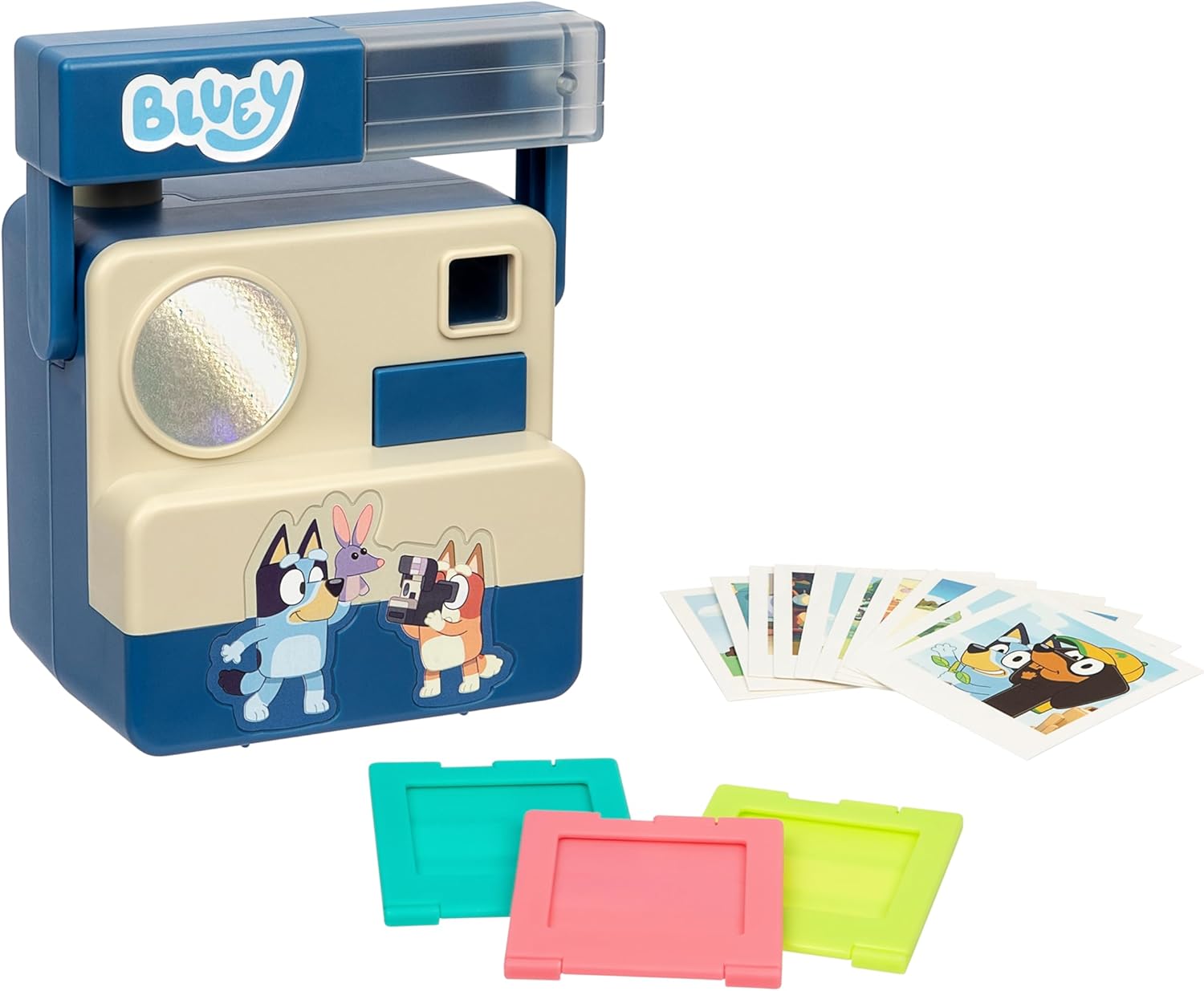
Bluey Chikit Chikit Camera (Ages 3+) (opens Amazon in a new tab)
Officially licensed Bluey roleplay camera with pop-out film cartridges, no batteries needed.
Best Licensed Real Camera for Toddlers
An officially licensed Spidey and His Amazing Friends digital camera that actually captures photos and video, SD card included. The licensed pick for a preschooler ready for a real camera, not a pretend prop. (For the unlicensed VTech Kidizoom that started this category, see the comparison section below.)
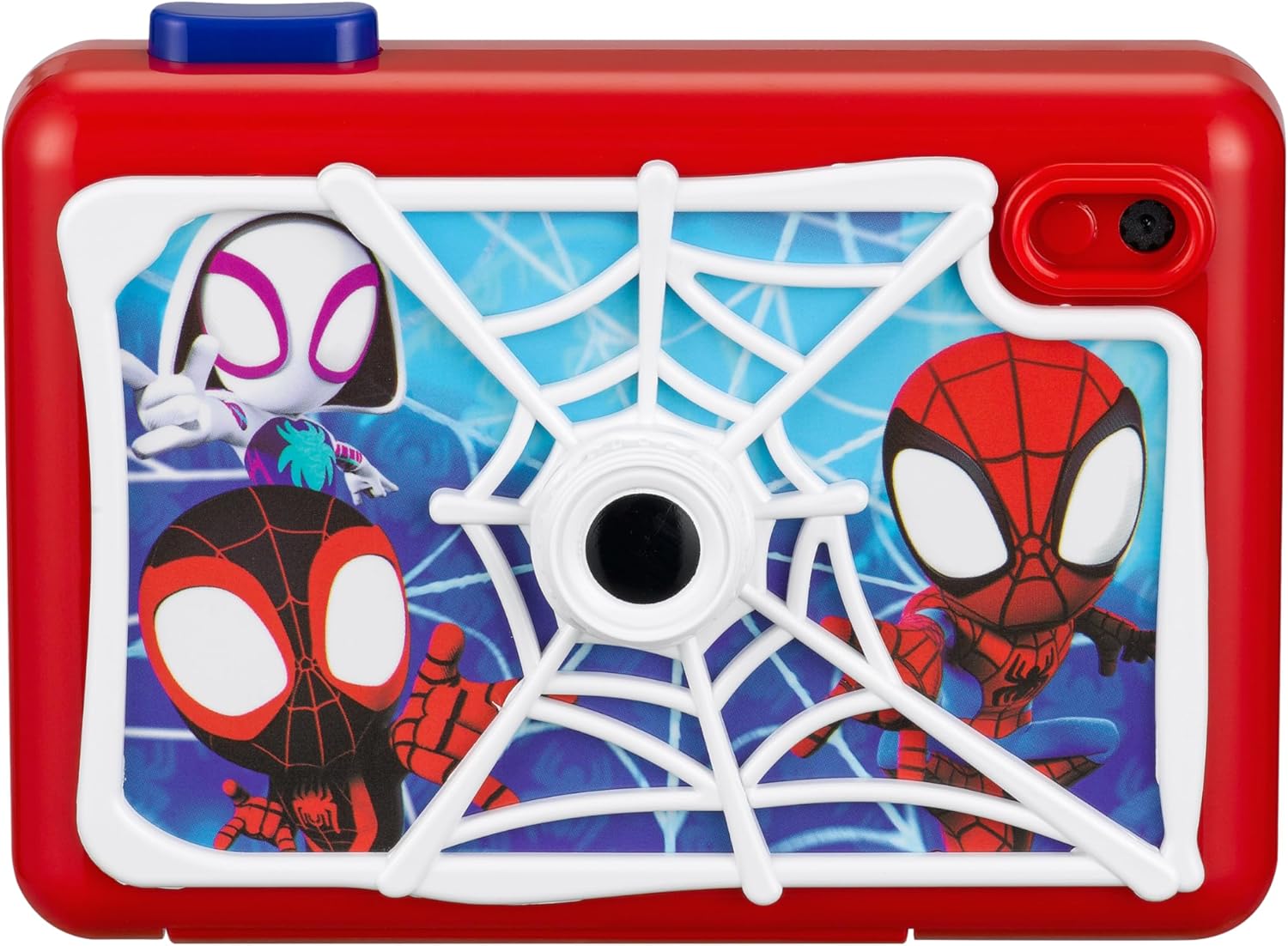
Spidey and His Amazing Friends Camera (Ages 3-5) (opens Amazon in a new tab)
Officially licensed real digital camera, actually captures photos and video, includes SD card.
Best Toy Camera for Party Favors
A bulk 24-piece set of viewfinder toy cameras with real images inside, built for party favors and classroom goodie bags, not a single kid's main toy. From ArtCreativity, a brand built specifically around bulk party favors.
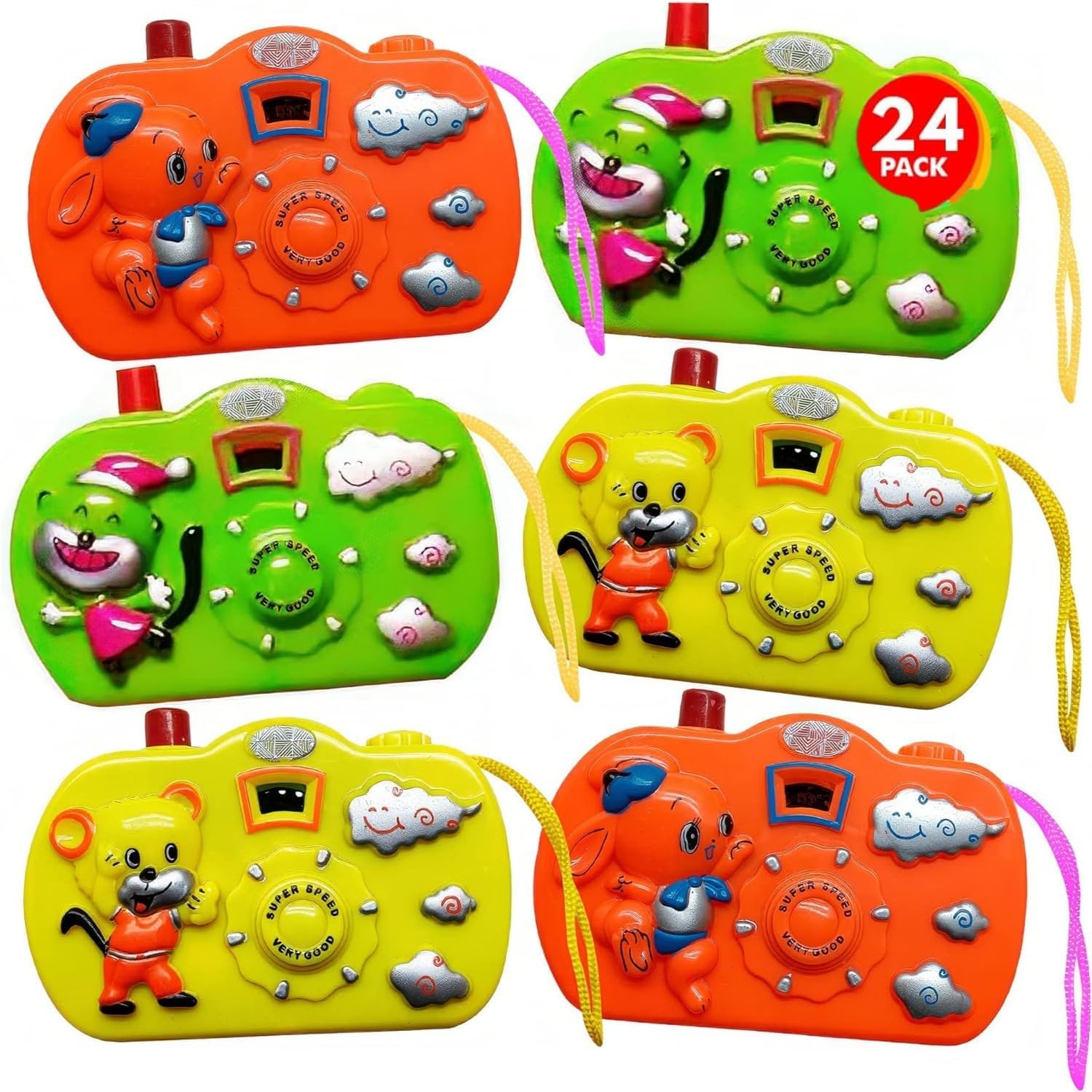
ArtCreativity Viewfinder Camera 24-Pack (Ages 3-5) (opens Amazon in a new tab)
24-piece bulk viewfinder toy camera set with real images inside, built for party favors.
| Camera | Type | Best For | Brand |
|---|---|---|---|
| Melissa & Doug Wooden Camera | Pretend play | Nature sounds, no screen | Melissa & Doug |
| Bluey Chikit Chikit | Pretend play | Bluey fans | Bluey (licensed) |
| VTech KidiZoom Pix Plus | Real digital camera | First real camera | VTech |
| Spidey Digital Camera | Real digital camera | Spidey fans | Marvel (licensed) |
| ArtCreativity 24-Pack | Pretend play | Party favors | ArtCreativity |
VTech Kidizoom Cameras Compared
VTech's Kidizoom line isn't one camera in different colors: the Pix Plus, Duo FX, PrintCam, Creator Cam, and Action Cam 180 are 5 distinct models with real feature differences, not just cosmetic ones. Picking the wrong one usually means paying a premium for features, like instant printing or a green screen, that a younger kid won't use, or under-buying a basic model for an older kid who wanted to make videos.
What to check before picking a Kidizoom model
- Age range: VTech markets these across a wide overlapping band, roughly 3 to 9, with Creator Cam skewing a bit older (5 to 10) since it's built around video editing rather than simple point-and-shoot photos.
- The one standout feature: instant printing (PrintCam), a front-facing selfie lens (Duo FX), a green screen and selfie stick (Creator Cam), or ruggedized mounting (Action Cam 180).
- Ongoing cost: PrintCam needs refill paper, an ongoing expense the other models don't have.
- Whether your kid wants to take pictures of things around them, or wants to be in the picture, which points toward Duo FX over the standard Pix Plus.
Best Kidizoom for First-Time Camera Users
The standard entry point into the Kidizoom line: real photos and short videos, simple controls, built-in games and filters. The right default unless a specific feature below pulls you toward a different model.

VTech KidiZoom Pix Plus (Ages 3-8) (opens Amazon in a new tab)
The standard Kidizoom model: real photos and video, simple controls, built-in games and filters.
Best Kidizoom for Selfies
A front-and-back dual-lens camera built specifically so a kid can be in their own photos, not just take them, with AR filters and photo/video effects layered on top of the standard Pix Plus feature set.

VTech KidiZoom Duo FX (Ages 3-9) (opens Amazon in a new tab)
Front-and-back dual-lens Kidizoom, built for selfies with AR filters and effects.
Best Kidizoom for Instant Prints
The only Kidizoom that actually prints photos on the spot, with a flip-up lens for selfies. Costs more than the Pix Plus and needs refill paper, an ongoing cost the other models don't have, but it's the closest thing here to a real instant-camera experience.

VTech KidiZoom PrintCam (Ages 4+) (opens Amazon in a new tab)
The only Kidizoom that prints photos instantly, needs refill paper, flip-up lens for selfies.
Best Kidizoom for an Older Kid Making Videos
Built for a kid ready to make videos, not just take photos: includes a green screen, a flip-up selfie display, and a selfie stick/tripod. The pick for a slightly older kid more interested in making content than snapping pictures.
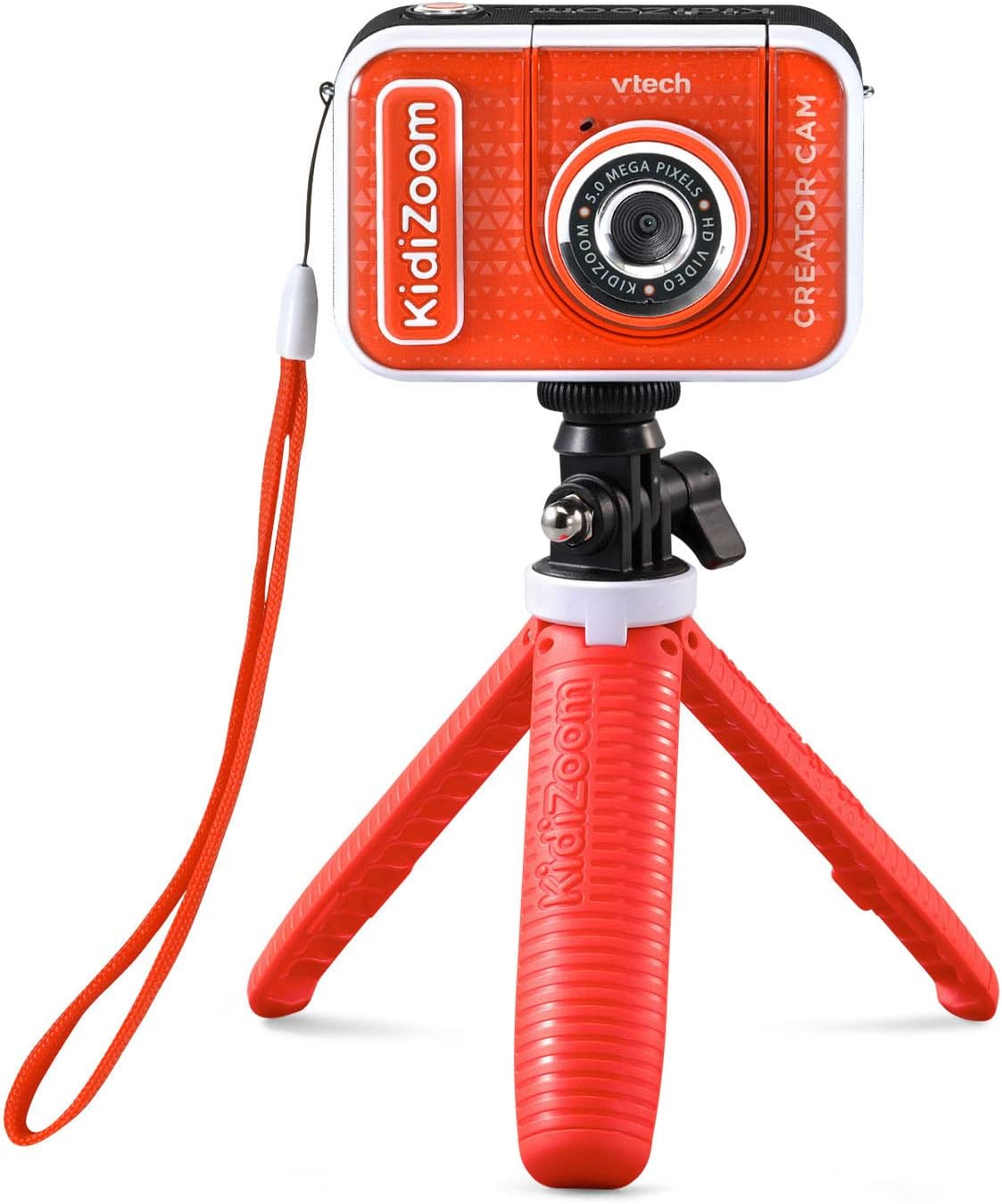
VTech KidiZoom Creator Cam (Ages 5-10) (opens Amazon in a new tab)
Green screen, flip-up selfie display, and selfie stick/tripod, built for video, not just photos.
Best Kidizoom for Active, Outdoor Kids
A ruggedized, mountable Kidizoom built for bikes, playgrounds, and outdoor play. The odd one out in the lineup: built for durability and mounting, not selfies or filters.

VTech Kidizoom Action Cam 180 (Ages 4-12) (opens Amazon in a new tab)
Ruggedized, mountable Kidizoom built for bikes and outdoor play, not selfies or filters.
| Model | Best Age | Standout Feature | Ongoing Cost |
|---|---|---|---|
| Pix Plus | 3-8 | Simple, real photos and video | None |
| Duo FX | 3-9 | Front-and-back dual lens for selfies | None |
| PrintCam | 4+ | Instant photo printing | Refill paper |
| Creator Cam | 5-10 | Green screen + selfie stick | None |
| Action Cam 180 | 4-12 | Ruggedized, mountable | None |
Frequently Asked Questions
Frequently asked questions
What age is a kids' digital camera good for?
Most kids' cameras work well starting around age 3-4 for a toy-style camcorder with big, simple buttons, and a compact point-and-shoot style camera fits better once a kid is around 8 and wants something that looks less like a toy. Check the specific camera's stated age range before buying.
Do these kids' cameras print instant photos?
Most don't. They save photos and video to an included SD card instead of printing instantly. The one exception in this guide is the VTech KidiZoom PrintCam, the only model here that actually prints on the spot (and needs refill paper to keep doing it).
Do kids' cameras need wifi or an app to work?
Most kids' cameras don't need wifi, an app, or an internet connection to take photos. Photos save directly to the included SD card, which you move to a computer with a card reader or a standard card slot when you want to see or print them.
Should I get a toddler a pretend camera or a real one?
For most toddlers, pretend play is enough and avoids battery and screen-time questions entirely. A real digital camera makes more sense once a kid is genuinely curious about seeing photos they've taken, usually closer to preschool age.
Are licensed character cameras worth the extra cost?
If your kid has a strong favorite character, yes, it tends to get used more than a generic design. Both the Bluey and Spidey picks in this guide are officially licensed, not unlicensed lookalikes.
Which Kidizoom model should I buy first?
The standard Pix Plus, unless a specific feature pulls you elsewhere: the Duo FX for a kid who wants selfies, the PrintCam for instant prints, the Creator Cam for an older kid making videos, or the Action Cam 180 for an active, outdoor kid.
What age are Kidizoom cameras built for?
The Pix Plus and Duo FX span a wide band from about 3 to 9. VTech lists the PrintCam simply as ages 4 and up, and the Action Cam 180 for ages 4 to 12, VTech's own widest range in the lineup. The Creator Cam skews a bit older too, 5 to 10, since it's built around video editing and a green screen that suit an older kid better than a simple point-and-shoot.
Is a kids' camera worth it compared to just using a phone?
A dedicated kids' camera means a kid isn't handling an actual phone (with its cost, fragility, and everything else on it), and the durable, simple design tends to survive the drops and grip a phone case can't fully protect against. It's a lower-stakes way to let a kid own the experience of taking photos.